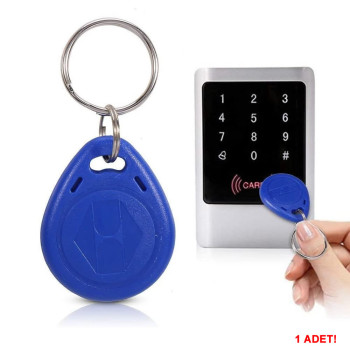
- Stok Durumu: Stok Var
- Marka: OEM
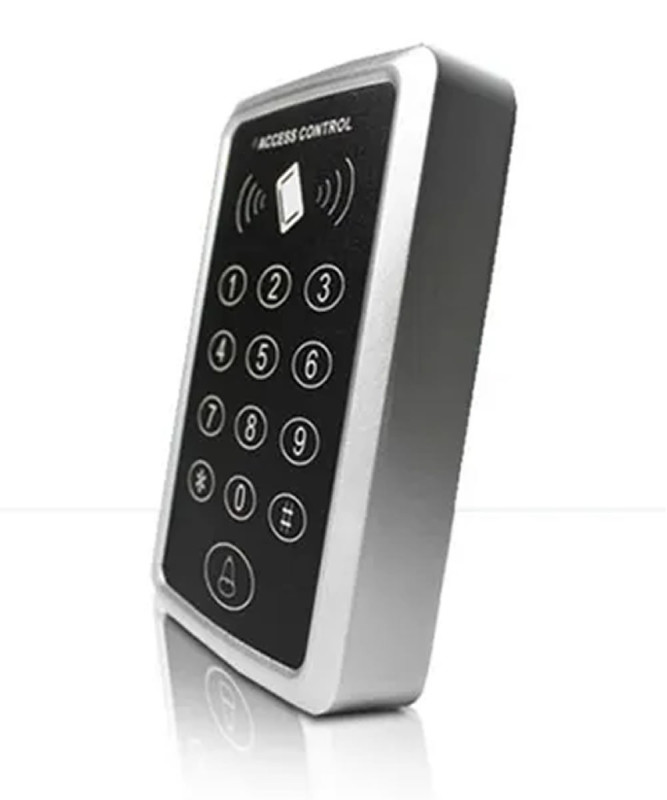
- Model: 125KHz Rfid Kapı Giriş Kontrol Keypad
- SKU: RBZ.101.777
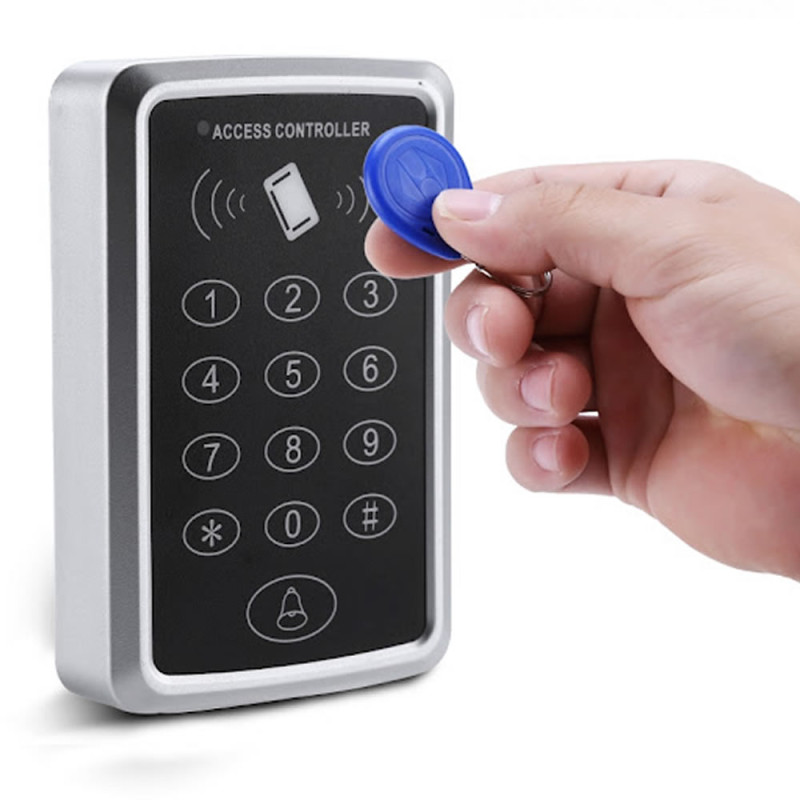
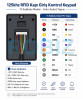
125KHz Rfid Door Entry Access Control Keypad
Card and Password Access Residential Complex Apartment Personnel School Pool Gym Garage Entry Door Lock System
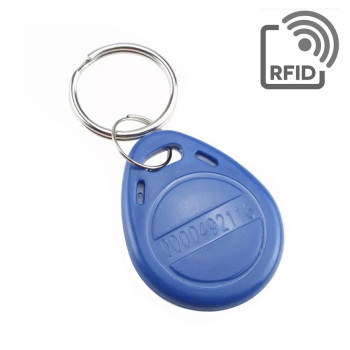
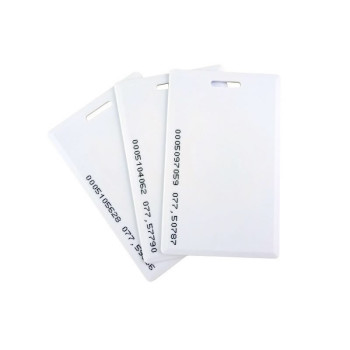
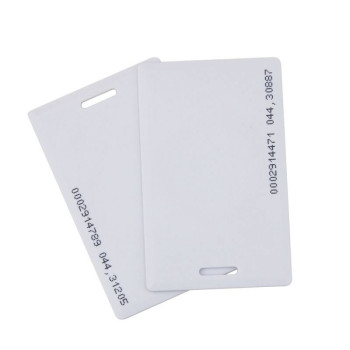
Rfid master card, key fob, adapter, electric lock or door opening button are not included in the package contents
Master card definition and other security setting explanations are located at the bottom section of the listing.
It is not compatible with 13.56mhz Mifare, NFC and mobile phone cards
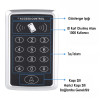
It is a standalone door access control device that can be used with 125khz RFID cards and passwords. It works by defining user cards and passwords on itself without requiring an external computer or network connection. It can be used in apartments, residential complexes, offices, schools, personnel entrances, pools, gyms, warehouses, garages and controlled door entrances.
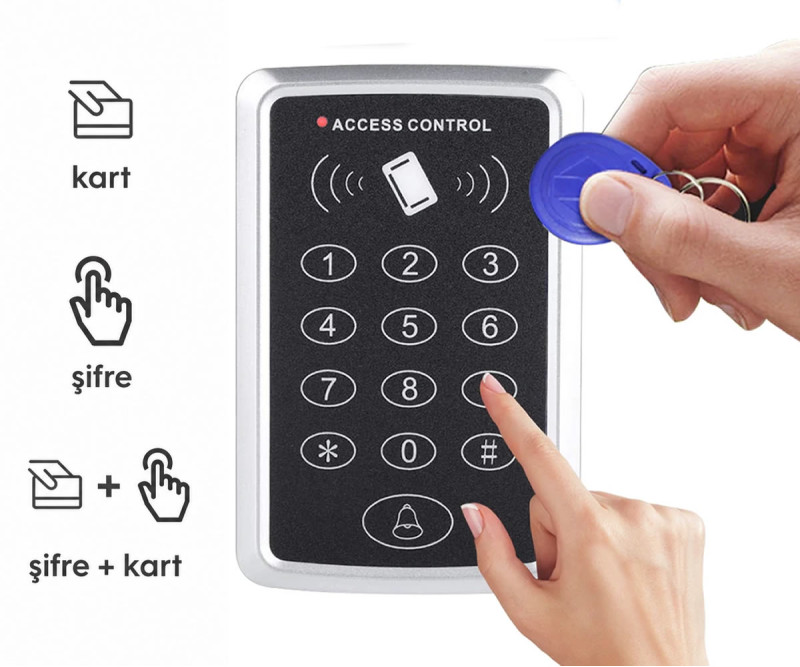
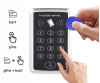
The device can perform door opening operations with a defined 125khz RFID card, user password or card + password combination. Thanks to the keypad on it, adding users, deleting cards, changing passwords and operating mode settings can be done on the device.
Thanks to the relay output, it can be used with electric door locks, magnetic locks, automatic door control circuits and similar door opening systems. Thanks to the D0 and D1 terminals, it can also be used as a reader in systems requiring a Wiegand connection.
This product is a standalone type access control device. After installation, it is recommended to change the factory default programming code. If the programming code is not changed, people with physical access to the device can enter the settings menu with the default code.
With its modern and stylish design, the device is suitable for wall mounting. Thanks to its durable outer surface, it provides long-term use. Thanks to its compact structure, it can be easily applied even in narrow areas.
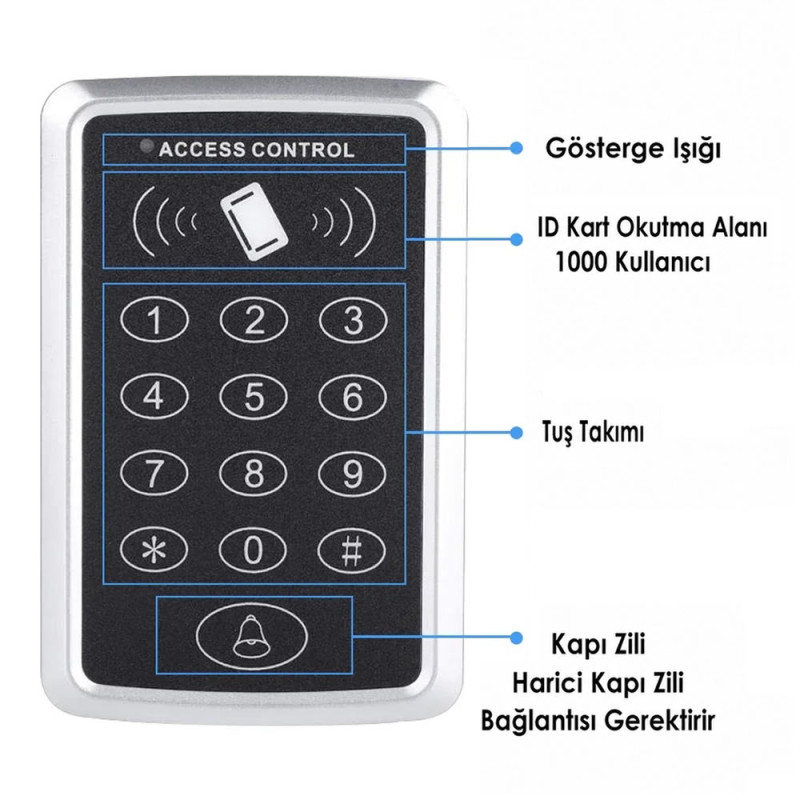
With its 1000 user capacity, it can be easily used in both small and medium scale projects. It is an ideal solution for personnel entry-exit control, door automation and security systems.
Features:
- 125KHz Rfid Door Entry Access Control Keypad
- Password entry feature
- Door opening support with card, password or card + password
- Standalone independent operation
- Operating voltage: Dc 12V
- Card frequency: 125KHz (ID Card)
- Reading distance: 3 – 6 cm
- Password length: 4 – 6 digits
- 1000 user capacity (card + password)
- Electric lock control with relay output
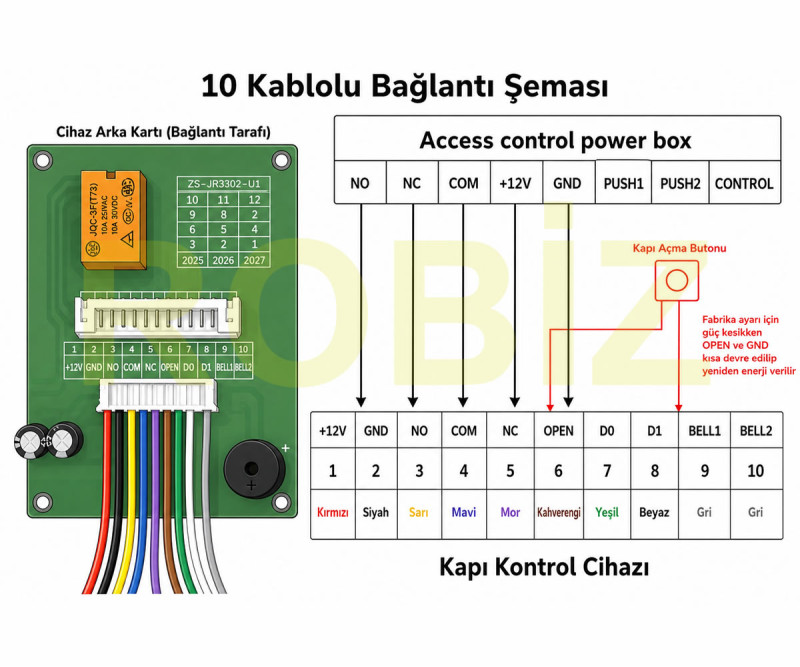
- NO, NC and COM relay connection terminals
- Door opening button connection
- BELL1 and BELL2 terminals for bell connection
- D0 and D1 Wiegand data output terminals
- Modern and stylish design
- Durable outer surface
- Easy installation and use
- Compatible operation with door lock systems
- Low energy consumption
- Material: ABS + Metal frame
- Box cover system suitable for wall mounting
- Mounting type: Surface mount (wall type)
- Color: Gray / Black
- Cable length: 150mm
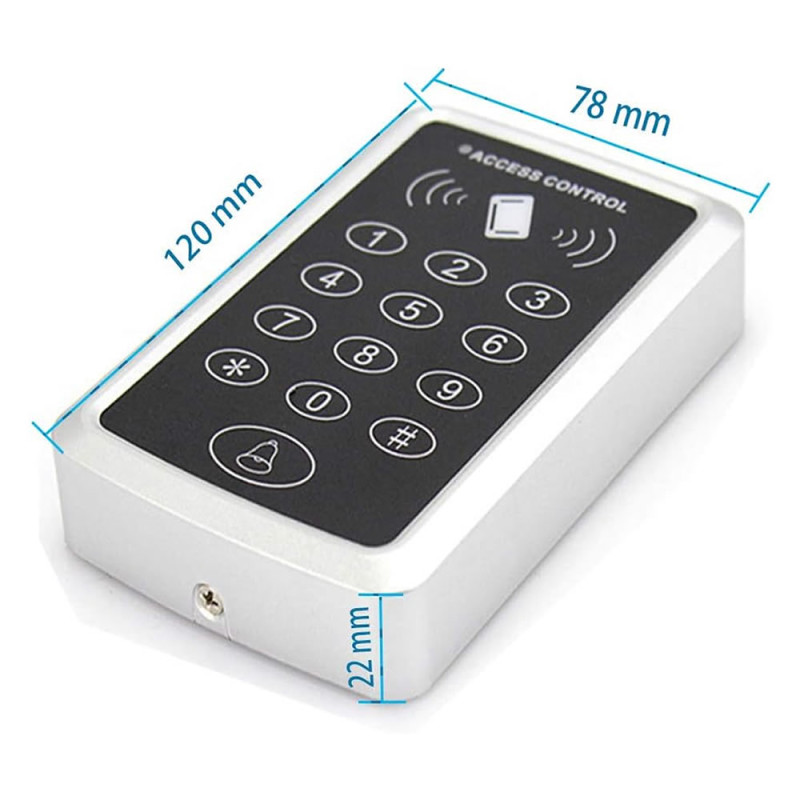
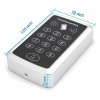
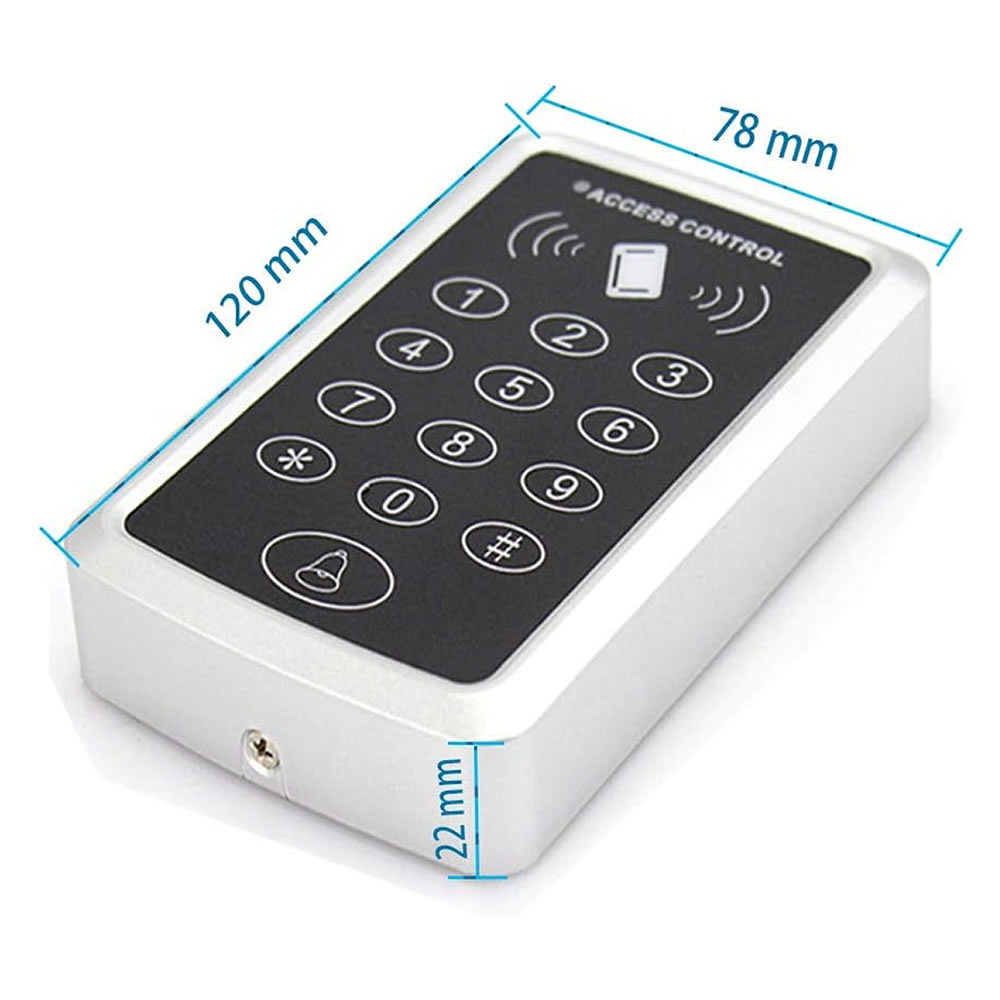
- Dimensions: 78mm x 120mm x 22mm
- Weight: 127gr
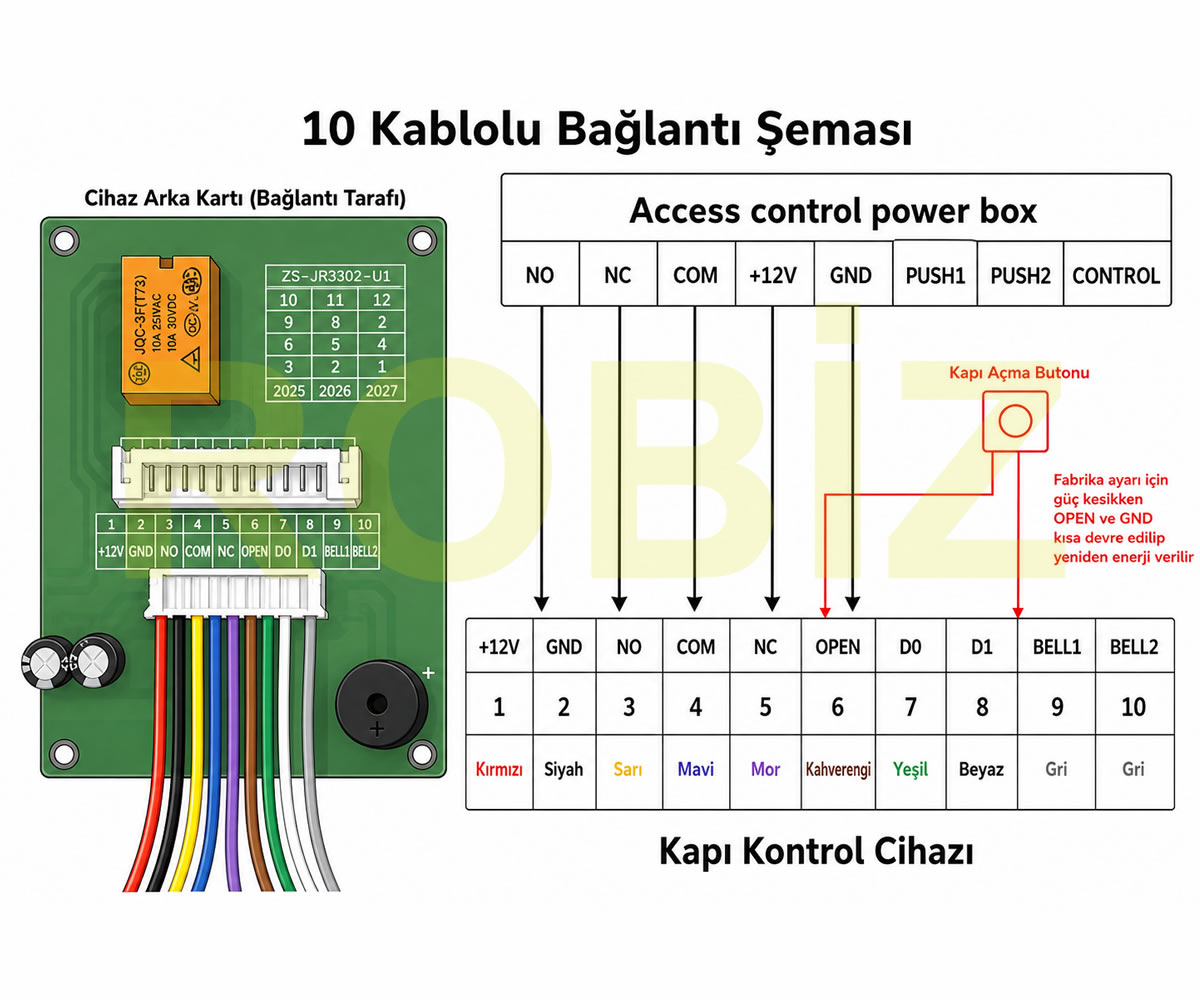
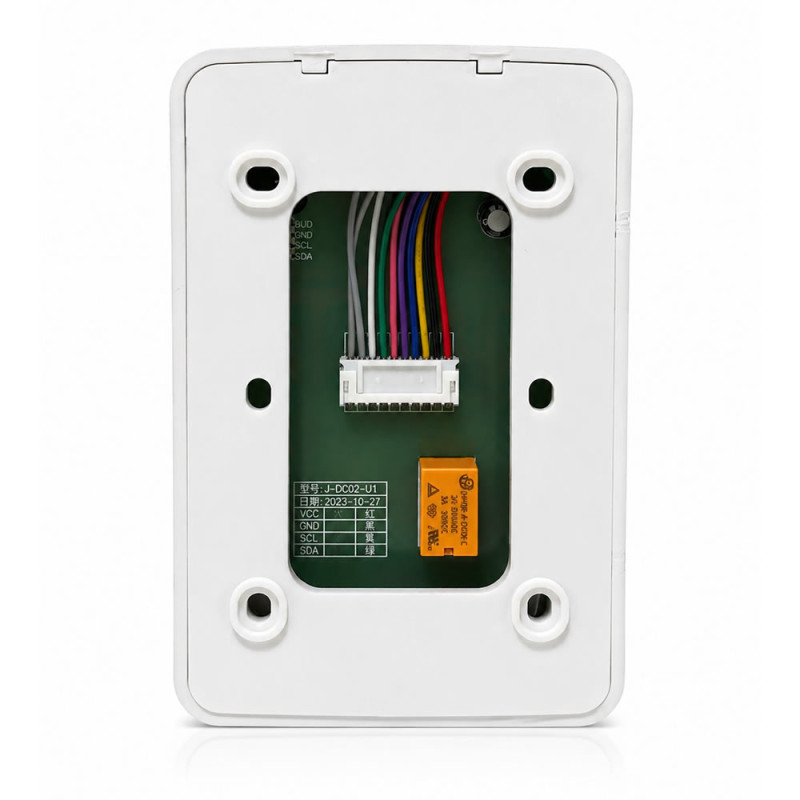
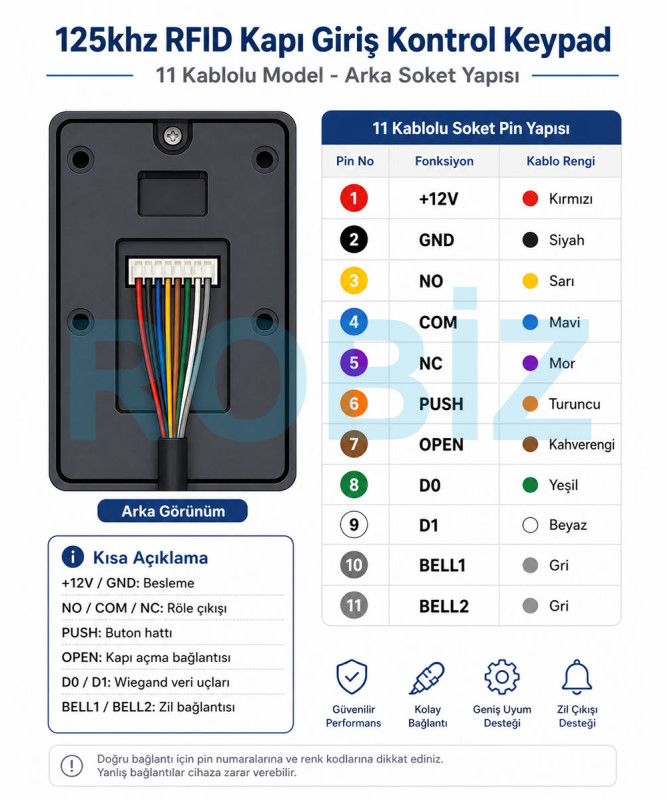
10 Pin socket and cable connections:
- 1. +12V – Red
- It is the DC 12V positive supply input of the device.
- 2. GND – Black
- It is the negative supply and common ground connection of the device.
- 3. NO – Yellow
- It is the normally open contact terminal of the relay.
- 4. COM – Blue
- It is the common contact terminal of the relay.
- 5. NC – Purple
- It is the normally closed contact terminal of the relay.
- 6. OPEN – Brown
- It is the door opening or exit button input. The exit button is connected between OPEN and GND.
- 7. D0 – Green
- It is the D0 data connection terminal.
- 8. D1 – White
- It is the D1 data connection terminal.
- 9. BELL1 – Gray
- It is the first terminal of the external bell connection.
- 10. BELL2 – Gray
- It is the second terminal of the external bell connection.
Areas of use:
- Apartment entrance doors
- Residential complex entrances
- Office and workplace entrances
- Personnel access control
- School and course entrances
- Pool and gym entrances
- Warehouse and service areas
- Garage and controlled door systems
- Electric door lock applications
Package contents:
- 1 Piece 125KHz Rfid Door Entry Access Control Keypad
- Dowel and screw set required for mounting
- Connection socket cables
- English chinese manual (Turkish explanation is explained in detail within the listing)
- 1. Supply 12V power to the device. Make sure the +12V and GND connections are made correctly.
- 2. Enter programming mode by entering *9999# on the keypad. This code is the factory default programming code.
- 3. Press 80# to define a master card.
- 4. Present the 125khz RFID card or key fob you want to make a master card to the reader. After the card is defined, the device may automatically exit programming mode.
- 5. Do not distribute the master card as a user card. Keep this card, because it will be used as the management card in user card adding and deleting operations.
- 6. To add a user card, present the master card to the device. The device switches to card adding mode.
- 7. Present the 125khz user cards you want to add in sequence. If a short confirmation sound is received after each card, it means the card has been added.
- 8. After all user cards are defined, present the master card again. The device exits card adding mode.
- 9. After installation, the door opening password and programming password can be changed for security. The factory default door opening password is #8888#, and the programming code is *9999#.
- Note: This device works with 125khz RFID cards. It is not compatible with 13.56mhz Mifare, NFC and mobile phone cards.
Turkish Programming Commands
- Default door opening password: #8888#
- Default programming code: *9999#
For the following management settings, programming mode must first be entered by entering *9999#. If the programming code was changed previously, the new programming code must be used instead of 9999.
- Changing the Programming Password
Command: 0#NEW PASSWORD#NEW PASSWORD#
The new programming password must be 4–6 digits.
Example: 0#123456#123456#
- Changing the Door Opening Password
Command: 92#NEW PASSWORD#NEW PASSWORD#
The new door opening password must be 4–6 digits.
Example: 92#2580#2580#
- Master Card Definition
After entering programming mode: 80#
enter the command and present the 125khz RFID card or key fob you want to make a master card to the reader.
When the card is successfully defined, the device automatically exits programming mode.
- Adding a User Card with the Master Card
- 1. Present the master card to the reader.
- 2. When the backlight starts flashing rapidly, present the user cards in sequence.
- 3. Two short sounds indicate that the card has been successfully added.
- 4. When the operation is completed, present the master card again.
- 5. The device exits user card adding mode.
- Quick User Card Adding with the Keypad
After entering programming mode: 1# enter the command.
Then present the user cards you want to add in sequence.
Two short sounds indicate that the card has been successfully added. A long warning sound indicates that the card may already be registered or that the operation failed.
- Adding a Card with a 6 Digit User ID Number
After entering programming mode: 2# enter the command.
Then present the user card and enter the 6 digit user ID number to be given to the card.
User ID range: 000001 – 999999
The same user ID number cannot be used again. If the entered number has been used previously or entered shorter than 6 digits, the device gives a long warning sound.
Note: The 000001–999999 range is the ID range used for numbering users; it does not mean the user capacity of the device.
- Deleting by Presenting the Card
After entering programming mode: 4# enter the command.
Then present the user cards you want to delete in sequence.
- Deleting by Card Code or User ID Number
Command: 5#CARD CODE# According to the manual, a 10 digit card code or a 6 digit user ID number can be used in the deleting operation.
- Deleting All User Cards
Command: 90#90# This operation clears all user cards registered in the device.
- Door Opening Operating Modes
After entering programming mode, one of the following commands is used:
40# – Door opening with card or password
41# – Door opening using card and password together
42# – Door opening with password only and disabling opening with card
- Setting the Relay Open Duration
In programming mode: 60# enter the command and then define the duration value in the range 000–254.
Setting range: 000–254 seconds
Factory default relay duration: 3 seconds
- Changing the Personal PIN Password of the User Card
This operation can be done in card + password operating mode, without entering programming mode.
Operation sequence: Press the # key. Present the user card.
Enter the old PIN password.
Enter the new PIN password and press the # key.
Enter the new PIN password again and press the # key.
The default personal PIN password of newly added cards is specified as 8888. The new PIN password must be 4–6 digits.
In user card adding operations performed with the master card, the master card is presented again to exit. For all settings made with the keypad in the manual, a general programming exit command is not separately specified.
- Restoring to Factory Settings
If the programming code is not known, the OPEN and GND method specified in the manual can be used.
1. Cut the power of the device.
2. Short circuit the OPEN and GND terminals or press and hold the door opening button connected between OPEN and GND.
3. While the OPEN and GND connection continues, power the device again.
4. Release the short circuit or the button after the device gives the warning indicating that the initialization operation is successful.
On the 10 pin product:
GND: pin number 2
OPEN: pin number 6
Note: The manual explains this operation as restoring factory settings. However, whether registered user cards are deleted during this operation is not separately specified in the manual.
Security warning: After the installation is completed, the factory default programming code must be changed. The default programming code of the device is *9999#. If this code is not changed, people with physical access to the device can enter the programming menu and define new cards or change settings.
- Changing the programming password:
Enter programming mode with *9999#.
Then enter the following command:
0#new password#new password#
The new password must be 4-6 digits.
Example: 0#123456#123456#
After installation, it is also recommended to change the #8888# code, which is the factory default door opening password.
- Changing the door opening password:
Enter programming mode with *9999#. Then enter the following command: 92#new password#new password#
The new door opening password must be 4-6 digits. Example: 92#2580#2580#
This product is a standalone type RFID access control device with keypad. Management settings are made with the keypad on the device. For this reason, if the device is used outdoors or at a point accessible to everyone, changing the programming password is important.
If the programming password is left unchanged, unauthorized people can intervene in the device with the default code.